Noura

The 3D scanner
that reaches where others can't.

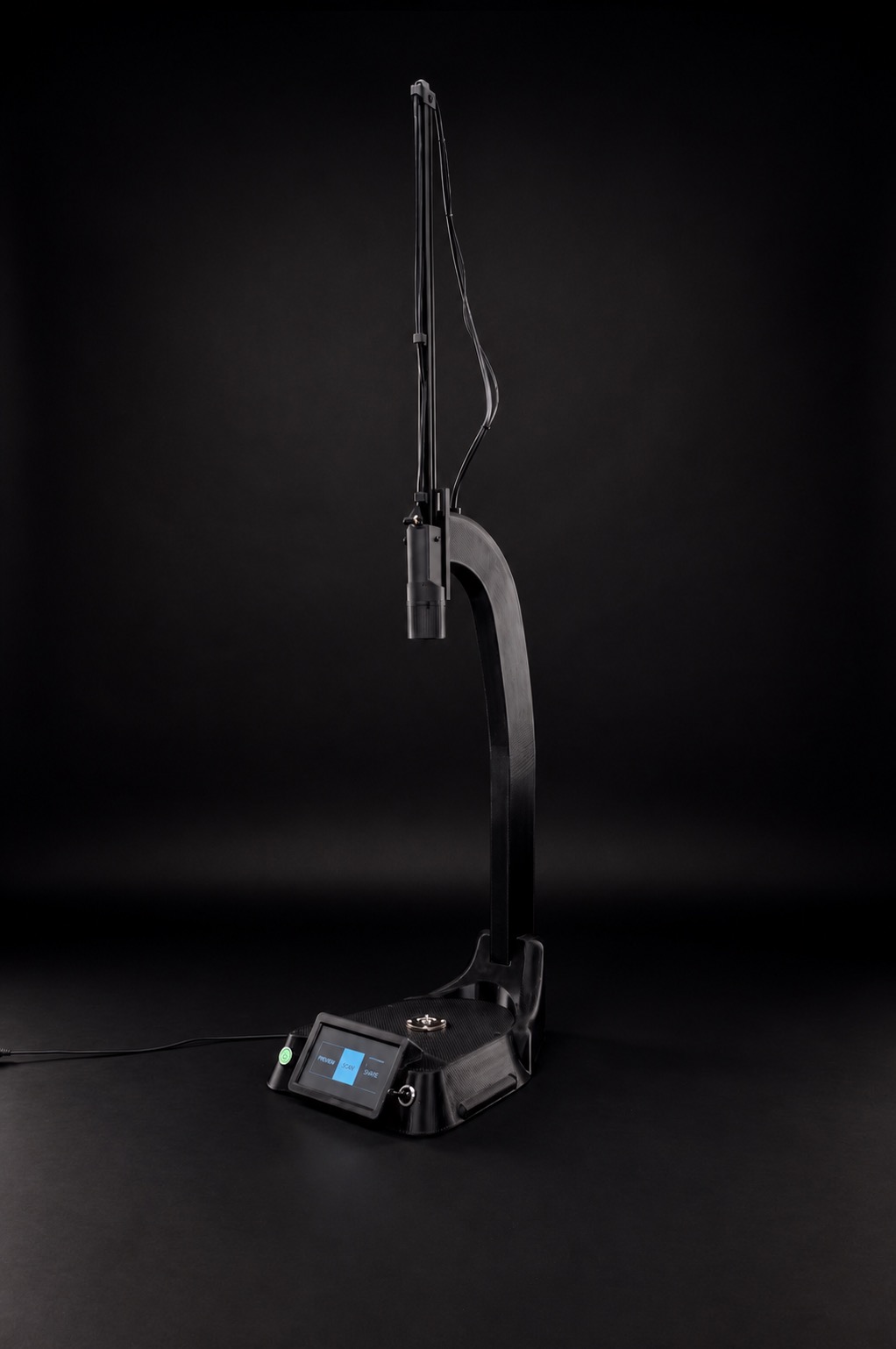
The Noura Scanner was designed to capture inner surface geometry that other scanners cannot reach. Long, narrow, or bulbous shapes and even around corners, it provides full color scan data with high accuracy.

Noura scanner
[ noura scanner ]
Drag to inspect
Specifications
0.3–1 mm
Accuracy
6 cm
(2.4 in)
Scan head
50 cm
(19.7 in)
Scan height
40 cm
(15.7 in)
Scanning diameter
3–6 min
Scan time
.OBJ
With or without color
Export format
01 / Reach

Built for inner surface geometry that other scanners struggle to capture.

The Noura Scanner reaches deep, narrow, or undercut regions without losing tracking, unlike other 3D scanners. The simple interface and hands-off, automated scanning process greatly reduces the learning curve so that anyone can easily scan with high accuracy.

02 / Accuracy

0.3–1 mm accuracy. Laser triangulation.

A green laser triangulation system captures surface geometry at 0.3–1 mm accuracy. This tool can enhance your digital workflow and reduce mistakes or poor scan data while improving the fit and function of your device.

03 / Speed

Automated scanning in as little as 6 minutes.

Preserve any markings or indications to your technical team with a full-color scan. Move fast, while still preserving the shape with a non-color scan in 2–3 minutes.

04 / Applications

Purposefully built for orthotics and prosthetics. Influenced by clinicians.

The Noura Scanner and Noura Scanner Pro were designed primarily to capture the inner surface of casts or sockets, upper or lower extremity, and excel at bulbous or undercut anatomy. Preserve your hands-on clinical experience and capture your cast shape, or duplicate a hard-to-fit definitive socket. And, for the first time, we are able to produce a scan of a full AFO cast - dorsum and toes included.

Other potential applications could include:

  • TLSO or KAFO casts
  • Any internal cavity - pipes, valves, tanks, etc.
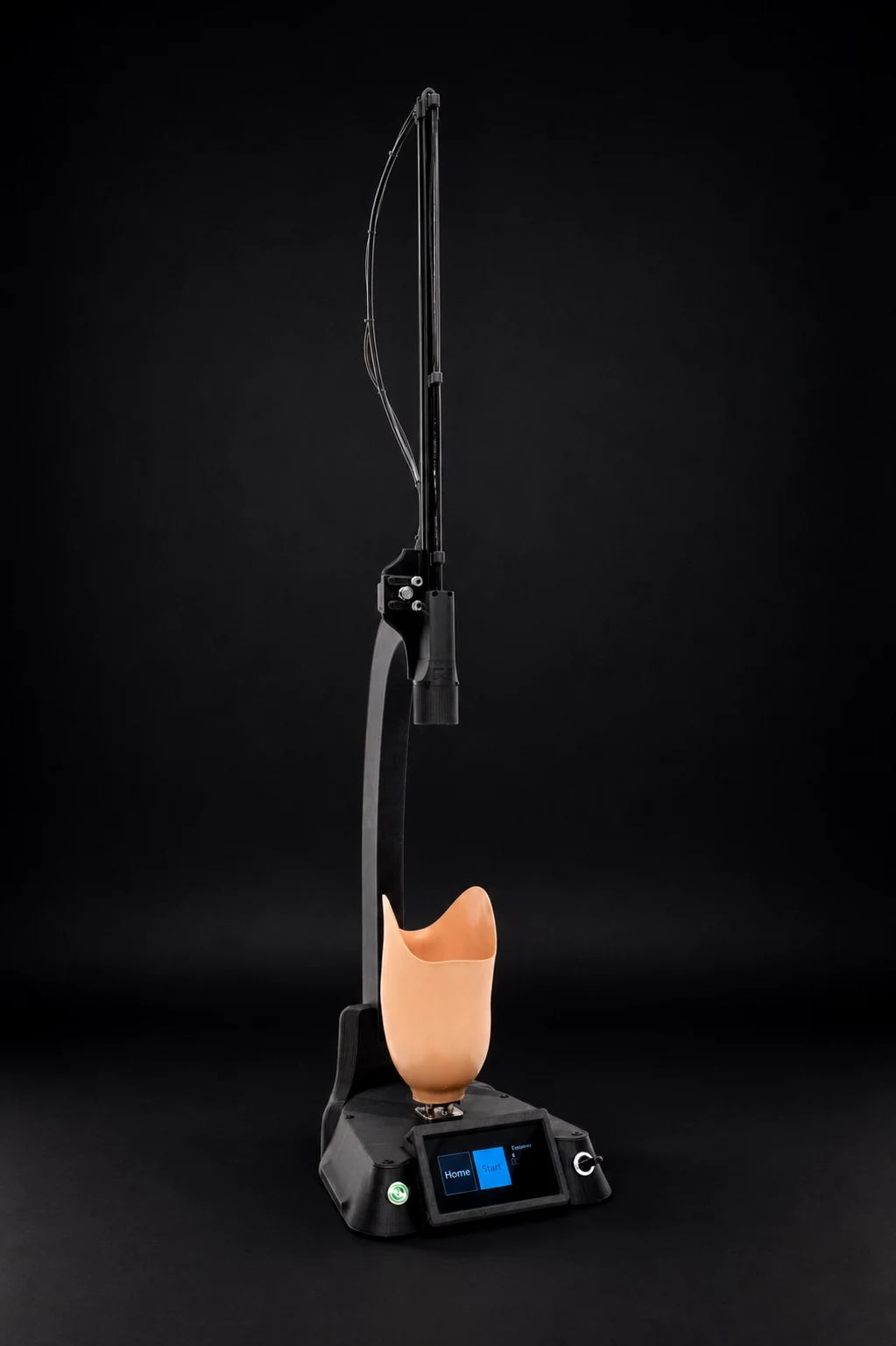
Full Noura scanner with an orange prosthetic socket mounted between the turntable and scan head in a dark studio
Full scanner with socket mounted · Maximum object diameter: 40 cm (15.7 in)
05 / Capture

Geometry and color in one scanning workflow.

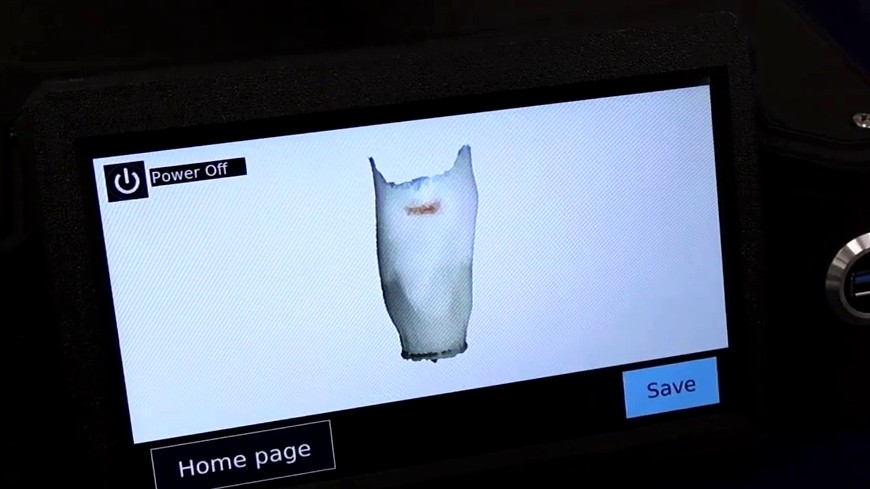
A non-color scan captures surface geometry. A full-color scan adds a color-capture pass that retains visible markings and trimlines. The finished color mesh can be inspected on the built-in touchscreen before it is saved to USB.

Noura touchscreen displaying a full-color socket mesh after scanning
Full-color mesh preview on device
How it works

From physical object to CAD-ready mesh in four steps.

01 USB insert 02 Mount object 03 START Start scan 04 OBJ Save mesh
Step 01
Local storage. Fully offline.
Scan files are saved directly to the connected USB drive. No cloud upload or network connection is required, keeping your scan data under your control.
Step 02
Mount the object on the central fixture and make sure it is properly aligned.
Good alignment and stability are important to ensure the best possible scan result.
Step 03
Press Start Scan on the touchscreen.
Choose a non-color scan or a full-color scan. A non-color scan takes 2–3 minutes. The required scan travel is based on the object height.
Step 04
Save the mesh to the USB drive.
Export as OBJ. Pull the drive out and bring it to whichever CAD tool you use.
NouraSoft / Post-processing

Clean the scan before it reaches CAD.

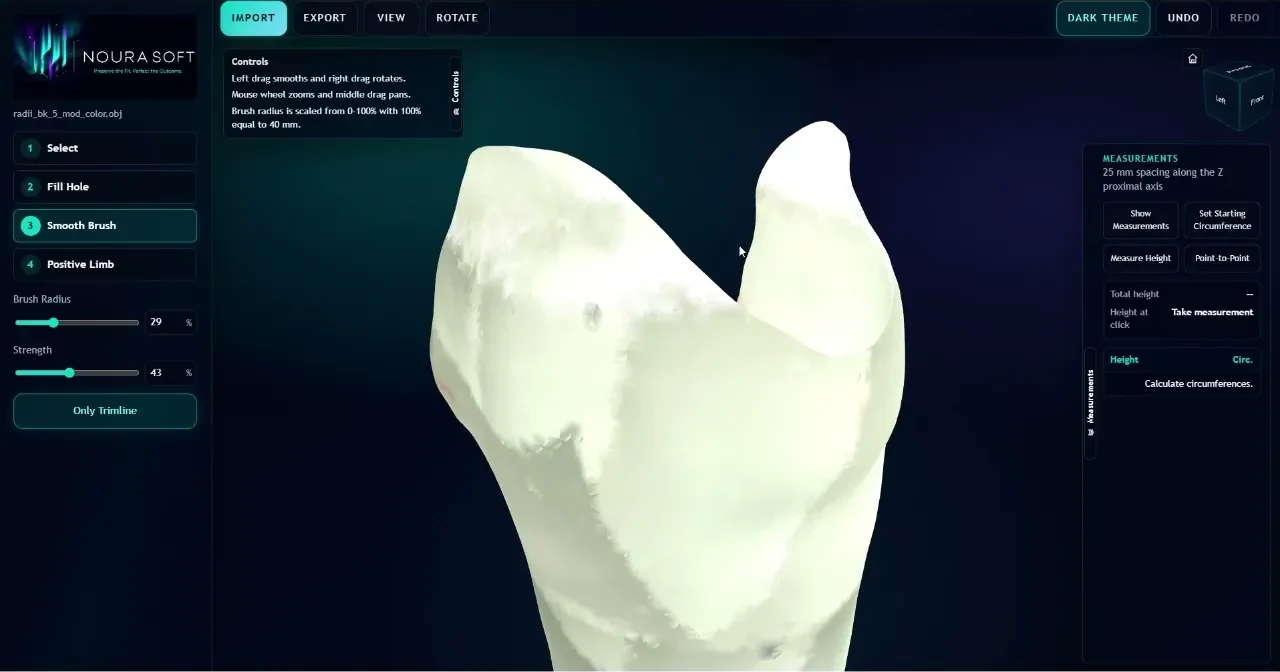
Select and remove unwanted mesh, fill holes, smooth surfaces, measure the result, and export it for downstream work.

  • Select + remove
  • Fill holes
  • Smooth
  • Measure
  • Export for CAD
NouraSoft interface showing the Smooth Brush tool applied to a scanned limb model

Preserve the fit. Perfect the outcome.

Current NouraSoft interface
Purchase

Purchase a Noura Scanner.

Purchase the Noura Scanner or Noura Scanner Pro by sending us an inquiry. You can also order directly through our US distributor, Ascent Fabrication.

Curious about Noura?

We built the scanner. We answer the emails too.

Your inquiry is emailed to our team. It may be forwarded to the appropriate regional sales partner based on your selected country. Privacy notice

Made in
Designed, built, and assembled in Norway.
Data
Fully offline. No cloud, no network, no telemetry.
Output
Native OBJ, exported to USB. Works with the CAD tool you already use.
Support
Built in-house. Questions reach the team that made it.
Owner resources

Documentation, video guides, and more.

01 / Set up

PDF guide

Unboxing the Noura scanner

Follow the unboxing sequence and initial equipment checks as you unpack the scanner.

Video guide

Get started with Noura

Learn the scanner's basic controls and operating sequence.

PDF guide

Calibration

Follow the documented calibration procedure before scanning.

02 / Scan and process

Demonstration

Scan an AFO cast

A complete Noura scanning workflow for an AFO cast.

Coming soon
CAD guide

Modify my scan

Modify exported scan data with O&P Cloud CAD clinical modification software.

Coming soon

03 / Reference and supplies

PDF reference

Instructions for use

Operating, safety, and handling instructions for the Noura scanner.

PDF policy

Warranty policy

Coverage and warranty terms for the Noura scanner.

Video + supplier

Scanning spray

Use AESUB Blue on transparent or dark objects. One can covers approximately 20–30 scans, depending on application.

Resources are provided by Ascent Fabrication ↗. External links open in a new tab.